
Install and Configure MailCow – Best Self Hosted Mail Server
Though there are several mailing solution for self hosted mail server, but installation and configuration can be headache some times. MailCow is fully feature loaded mailing script based on Dovecot, Postfix, SoGo and other open source software. It’s not easy to install, but also provides a modern web user interface for user and server administration.
MailCow is open source project which means you don’t have to spend a penny from your pocket for the software. To learn more about MailCow you can read their official documentation.
Requirement for MailCow Server
- A domain name
- A VPS or Cloud with a Minimum of 6 GB RAM
I will using Contabo for demonstration as they do not ban port 25. I have prepared list of VPS provider which gives you open port 25.
- Recommended OS: Ubuntu 20.04
Initial DNS Setup
First of all you need to create few DNS records in order to start. They are as follows
| Type | Host | Value |
| A | Your IP address | |
| CNAME | autodiscover | mail.yourdomain.com |
| CNAME | autoconfig | mail.yourdomain.com |
| MX | @ | mail.yourdomain.com 10 |
Installation of MailCow
Before, you can actually install mailcow, you need to install docker and docker compose needed by mailcow.
Installation of Docker
I already have discussed installation of Docker on Ubuntu. All, you need is to follow that article to install docker and docker-compose, which is will also help you understand docker.
Install MailCow
First of all set the hostname
root@mail:~# hostnamectl set-hostname mail.yourdomain.com
Then install git , just in case it’s not installed. Then change working directory to opt directory and pull MailCow files from github.
root@mail:~# apt install git -y
root@mail:~# cd /opt
root@mail:/opt# git clone https://github.com/mailcow/mailcow-dockerized
Now again change working directory.
root@mail:/opt# cd mailcow-dockerized
Finally execute the bin file and answer the question
root@mail:/opt/mailcow-dockerized# ./generate_config.sh

Press enter to confirm the detected value '[value]' where applicable or enter a custom value.
Mail server hostname (FQDN) - this is not your mail domain, but your mail servers hostname: mail.ingu.pw
Timezone [Etc/UTC]:
Generating snake-oil certificate...
Generating a RSA private key
...................................................................++++
...............................................................................................................................................................................................++++
writing new private key to 'data/assets/ssl-example/key.pem'
-----
Copying snake-oil certificate...
You can also make changes in configuration of you like
root@mail:/opt/mailcow-dockerized# nano mailcow.conf
Next, pull MailCow docker image
root@mail:/opt/mailcow-dockerized# docker-compose pull

Pulling unbound-mailcow   ... done
Pulling mysql-mailcow     ... done
Pulling redis-mailcow     ... done
Pulling clamd-mailcow     ... done
Pulling php-fpm-mailcow   ... done
Pulling sogo-mailcow      ... done
Pulling dovecot-mailcow   ... done
Pulling rspamd-mailcow    ... done
Pulling postfix-mailcow   ... done
Pulling memcached-mailcow ... done
Pulling nginx-mailcow     ... done
Pulling acme-mailcow      ... done
Pulling netfilter-mailcow ... done
Pulling watchdog-mailcow  ... done
Pulling dockerapi-mailcow ... done
Pulling solr-mailcow      ... done
Pulling olefy-mailcow     ... done
Pulling ejabberd-mailcow  ... done
Pulling ofelia-mailcow    ... done
Pulling ipv6nat-mailcow   ... done
Finally, run the compose.
root@mail:/opt/mailcow-dockerized# docker-compose up -d

Creating network "mailcowdockerized_mailcow-network" with driver "bridge"
Creating volume "mailcowdockerized_vmail-vol-1" with default driver
Creating volume "mailcowdockerized_vmail-index-vol-1" with default driver
Creating volume "mailcowdockerized_mysql-vol-1" with default driver
Creating volume "mailcowdockerized_mysql-socket-vol-1" with default driver
Creating volume "mailcowdockerized_redis-vol-1" with default driver
Creating volume "mailcowdockerized_rspamd-vol-1" with default driver
Creating volume "mailcowdockerized_solr-vol-1" with default driver
Creating volume "mailcowdockerized_postfix-vol-1" with default driver
Creating volume "mailcowdockerized_crypt-vol-1" with default driver
Creating volume "mailcowdockerized_sogo-web-vol-1" with default driver
Creating volume "mailcowdockerized_sogo-userdata-backup-vol-1" with default driver
Creating volume "mailcowdockerized_xmpp-vol-1" with default driver
Creating volume "mailcowdockerized_xmpp-upload-vol-1" with default driver
Creating mailcowdockerized_sogo-mailcow_1      ... done
Creating mailcowdockerized_olefy-mailcow_1     ... done
Creating mailcowdockerized_memcached-mailcow_1 ... done
Creating mailcowdockerized_clamd-mailcow_1     ... done
Creating mailcowdockerized_unbound-mailcow_1   ... done
Creating mailcowdockerized_watchdog-mailcow_1  ... done
Creating mailcowdockerized_dockerapi-mailcow_1 ... done
Creating mailcowdockerized_solr-mailcow_1      ... done
Creating mailcowdockerized_ejabberd-mailcow_1  ... done
Creating mailcowdockerized_redis-mailcow_1     ... done
Creating mailcowdockerized_mysql-mailcow_1     ... done
Creating mailcowdockerized_php-fpm-mailcow_1   ... done
Creating mailcowdockerized_postfix-mailcow_1   ... done
Creating mailcowdockerized_dovecot-mailcow_1   ... done
Creating mailcowdockerized_nginx-mailcow_1     ... done
Creating mailcowdockerized_ofelia-mailcow_1    ... done
Creating mailcowdockerized_netfilter-mailcow_1 ... done
Creating mailcowdockerized_rspamd-mailcow_1    ... done
Creating mailcowdockerized_acme-mailcow_1      ... done
Creating mailcowdockerized_ipv6nat-mailcow_1   ... done
You might have to open port if firewall is running on your server. Run the following commands
root@mail:~# sudo ufw allow 25,80,443,110,143,465,587,993,995/tcp
Now go to browser and open https://mail.yourdomain.com with the default credentials admin + password moohoo.
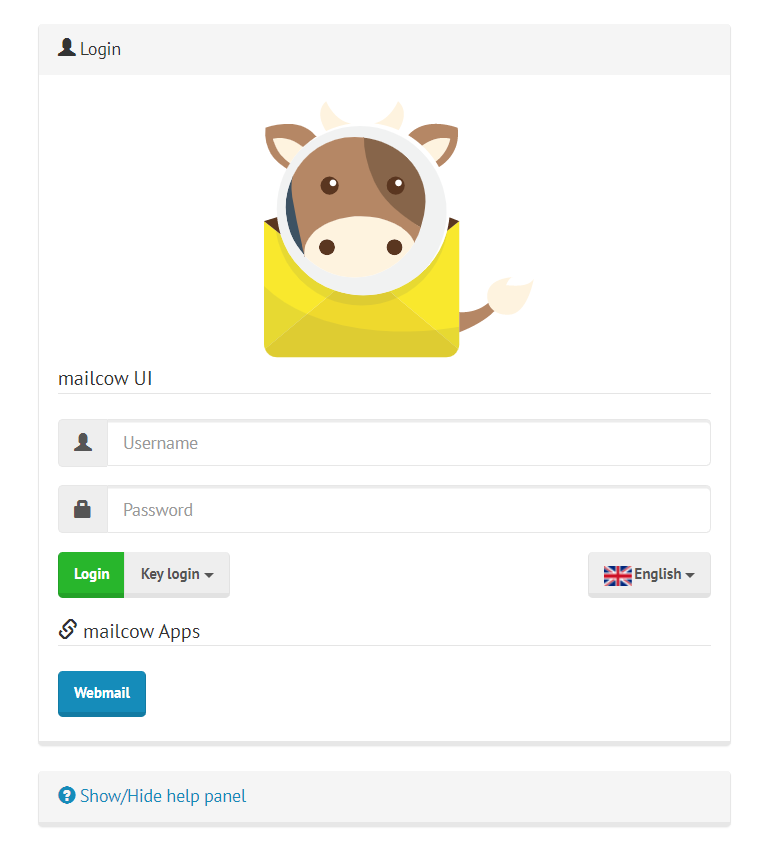
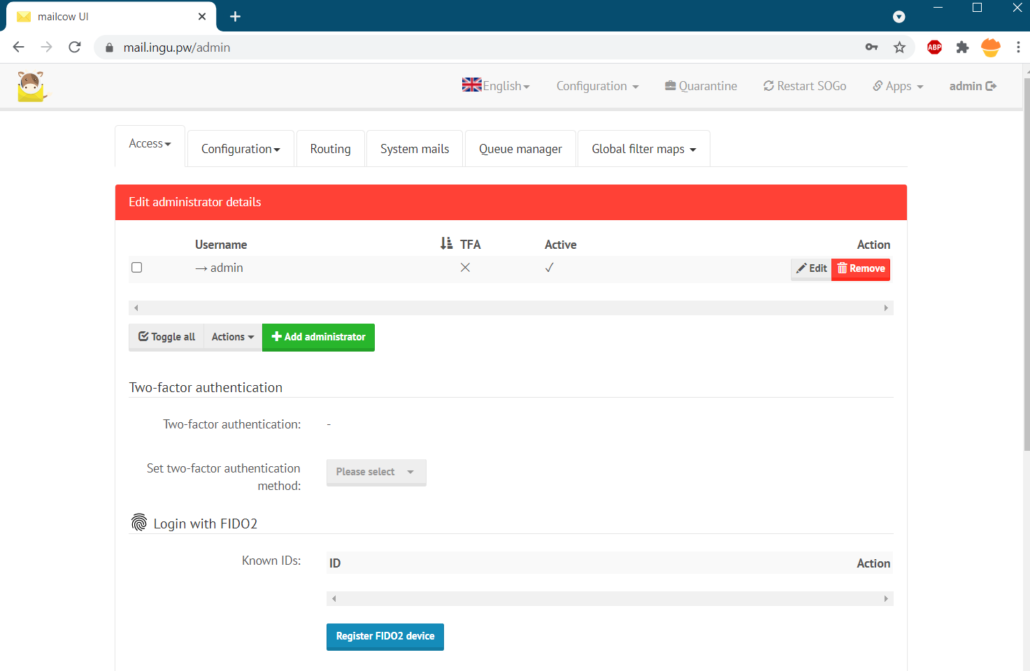
Inside admin dashboard make sure to change the password.
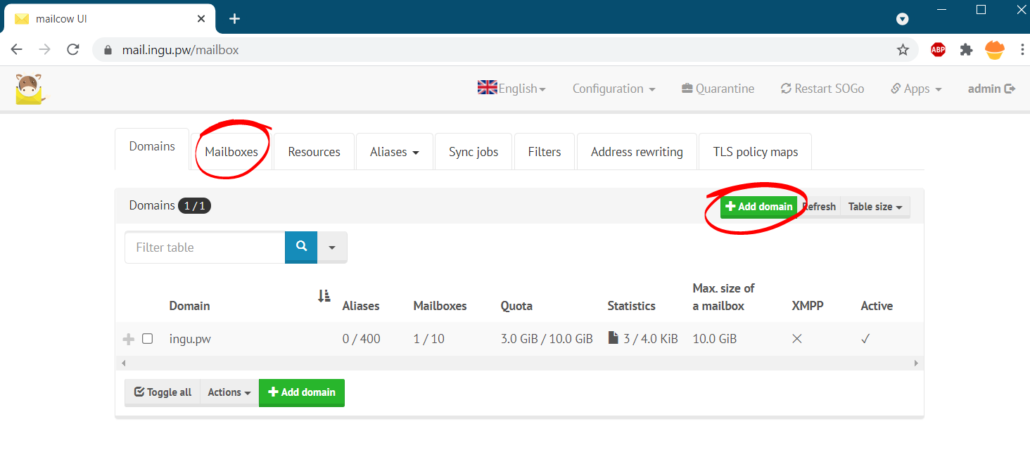
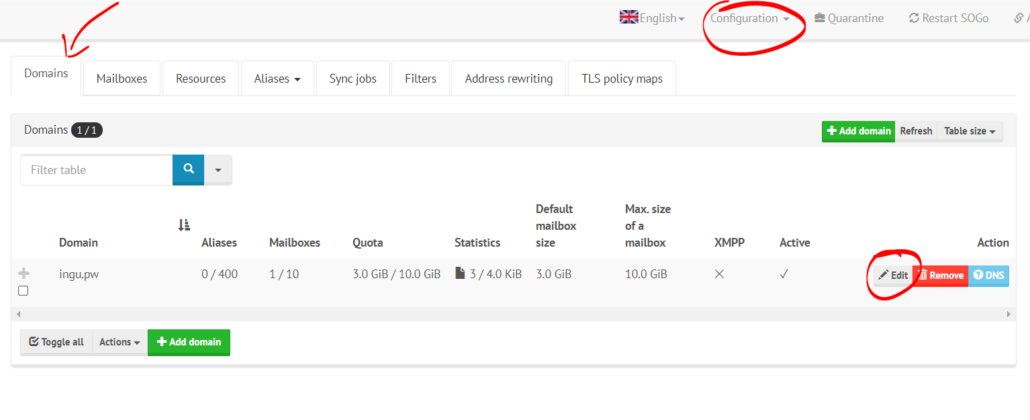
To add domain and user go to configuration in the top menu
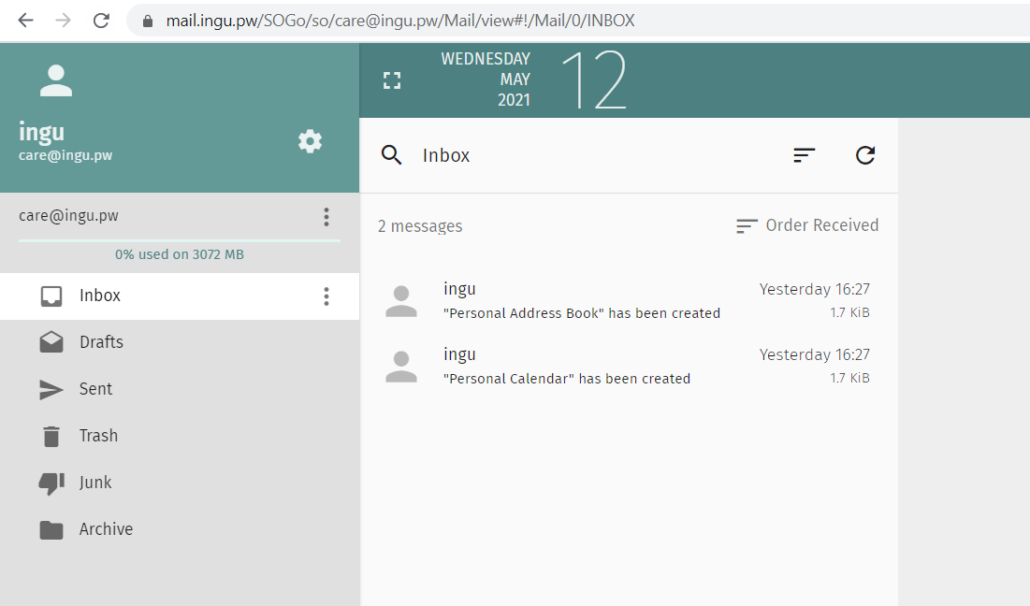
To access mailbox go to https://mail.yourdomain.com/sogo and enter username and password.
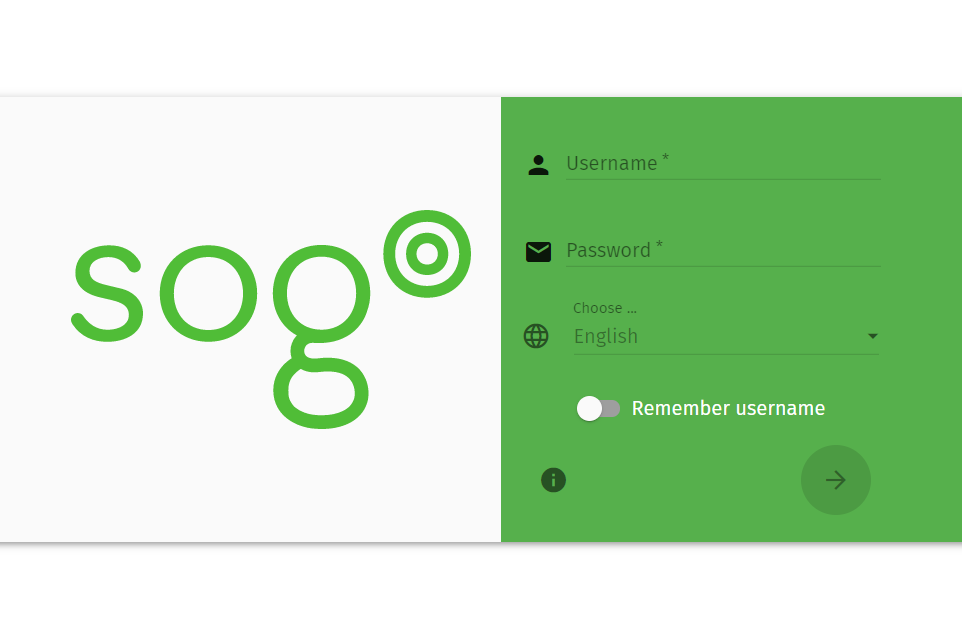
Next screen will be something like this.
Final DNS Configuration
You also need to setup DKIM, DMARC and SPF record to finish the installation.
| Type | Host | Value |
| TXT | @ | “v=spf1 mx a -all” |
| TXT | _dmarc | “v=DMARC1; p=reject; rua=mailto:[email protected]” |
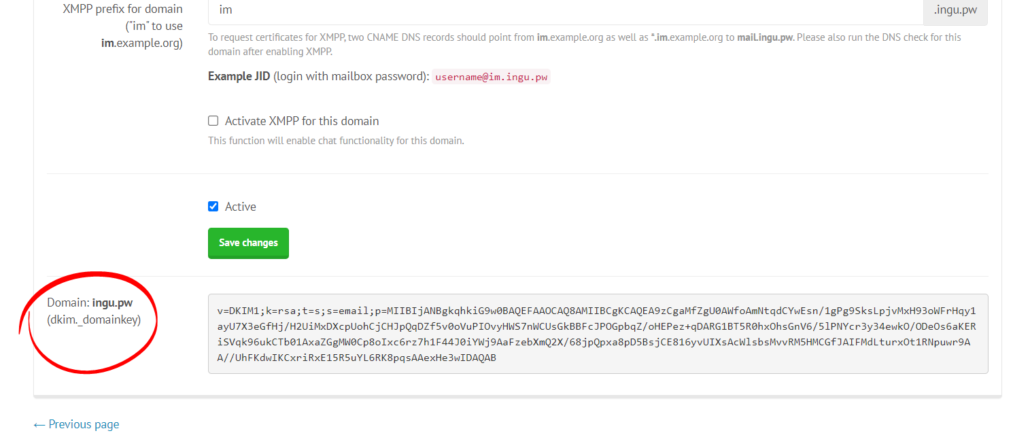
| TXT | dkim._domainkey | “v=DKIM1; k=rsa; t=s; s=email; p=…” |
To get the DKIM go to configuration>>domain>>edit as follows
At the bottom of next page, you should find DKIM key. Copy it and paste it in DKIM TXT record.
Conclusion
Installation of MailCow mail server is simple and with proper guidance any one can install it. In this tutorial, I have demonstrated all the steps and commands required to install MailCow.
Hello,
First congratulation for your tutorial.
I have installed a mail server (mailcow app) on ubuntu and I am confused about reverse dns (PTR record). I’ll tell you the facts:
We will take king-kong.com as an example
Main domain name -> king-kong.com
subdomain: mail.king-kong.com
mailcow app -> sogo -> domain: trace.king-kong.com
So users use [email protected] as their email address.
Namecheap.com setup:
A Record: mail
CNAME Record: mail.king-kong.com
TXT Record: … p = reject; rua = mailto: [email protected]
What I would like to know is what domain name I should use for the PTR record? mail.king-kong.com or trace.king-kong.com
Type: PTR
Name: 1.2..3.4.in-addr.arpa <—- chnage to ipv4 address of your mail server 1.2.3.4
Domain Name: mail.king-kong.com
Hello,
I have a server and am migrating away from Google with multiple domains that I have which provide different email accounts on their server. I need to see how to get Mailcow to receive from different domains.
I use Godaddy and have set up both domains with their different A, CNAME, MX, and TXT records after creating a second domain on my Mailcow instance but I do not seem to get email from the second domain. Also, I pointed both DNA “A” records to the same IP.
Can you please advise?
Go with Zimbra.
I had follow your guide line but only can send only the same domain .it can not send out to other domain.
What i am wrong in configuration.? i always see this when sent out email.
connect to reception.mail-tester.com[94.23.206.89]:25: Connection timed out
What should i do.?Any recommend.!
Perhaps your IP is in blocklist of mail-tester. Try sending to other ISP, like Gmail, Yahoo etc
Wonderfull tutorial but in smtp tester i am getting error as “The SMTP server does not support authentication.” in GMASS . From SOGO i am able to send emails. Really appreciate for your help
I successfully installed mail cow and i am able to send email from sogo to other emails but when i am trying to send SMTP request using GMASS after initial connection i am getting “The SMTP server does not support authentication.” error can you please let me know what is this problem and how to solve this
Perhaps port or password issue. Make sure you are using the correct password and port 465 or 587.
Hi, can I use it in Oracle Cloud Ampere server with Hestia CP installed? Thks.
No, I don’t think Hestia Supports ARM
hi, i have question.
i wanna use mailcow on my local Lan for services notfcations.. and no need to publish or enything more
in this case i have pihole dns. in pihole we can just use A and CNAME record.
so what happened. can i use mailcow yet?
can i use cow mail without (spf,TXT,MX record) in my local network?