
Install & Configure PowerMTA on CentOS with IP rotation
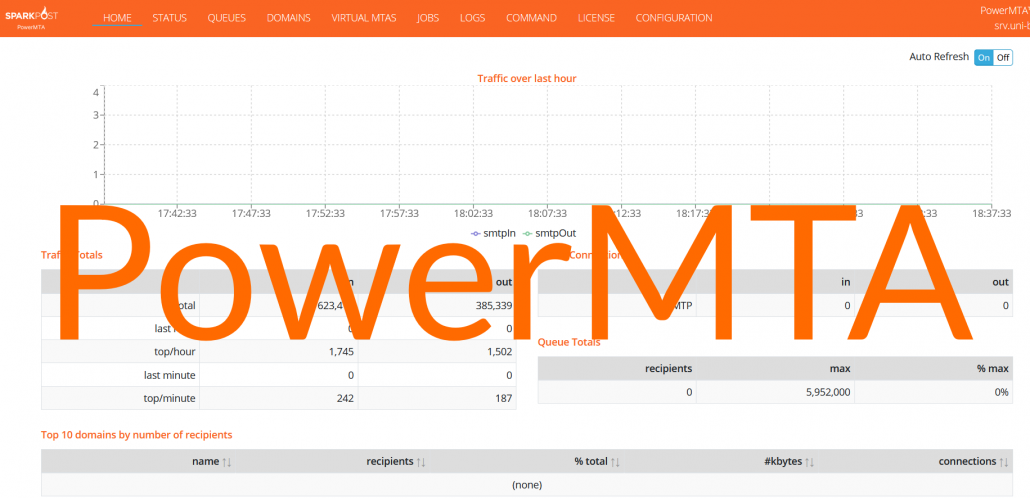
Installing & configuring PowerMTA could be a daunting task for beginners. However, if you are in digital marketing especially email marketing you would be tempted to try PowerMTA once in a life. Therefore, I have came up with the simplest way to install PowerMTA step by step on CentOS 7/8.
Beginning
First of all, PowerMTA can be installed standalone as well as along with some control panels like VestaCP, CyberPanel, cPanel, Virtualmin/Webmin, CentOS Web Panel, Froxlor, etc. In another article, I already have discussed the installation of VestaCP. If you want to install PowerMTA on VestaCP you can follow it.
In this article, I will be talking about standalone installation. Let’s Begin.
Requirement for PowerMTA
- VPS or cloud or dedicated server with at least 2GB of RAM (recommended minimum 8GB). I am using Contabo in this demonstration. Install CentOS on the cloud.
Best and cheap VPS for email marketing - A domain name. I prefer to buy domain names from Namecheap, Godaddy.
- PowerMTA rpm file and license. You can get it from Sparkpost.
Environment Setup
First of all, you need to install a couple of software to connect/upload files to the server.
Connecting to server
If you are windows then you will need a SSH client to connect to server. A simple and easy SSH client is putty
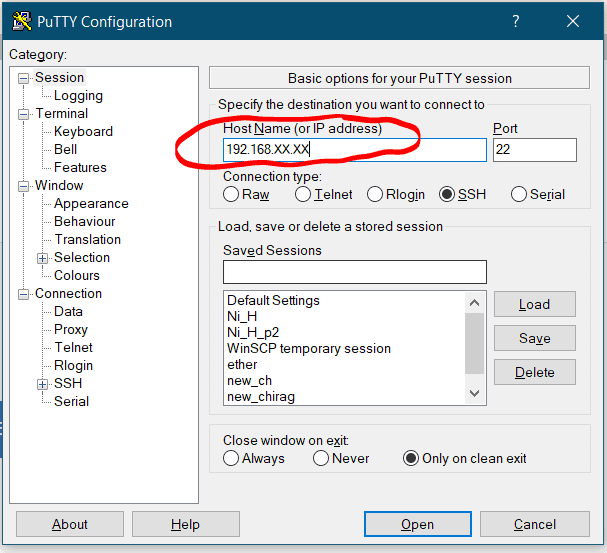
Open the putty and paste the IP address of your server
Enter the username, it could be root or anything else provided by your hosting.
Now enter the password. In order to paste anything on putty, use the right click of the mouse.
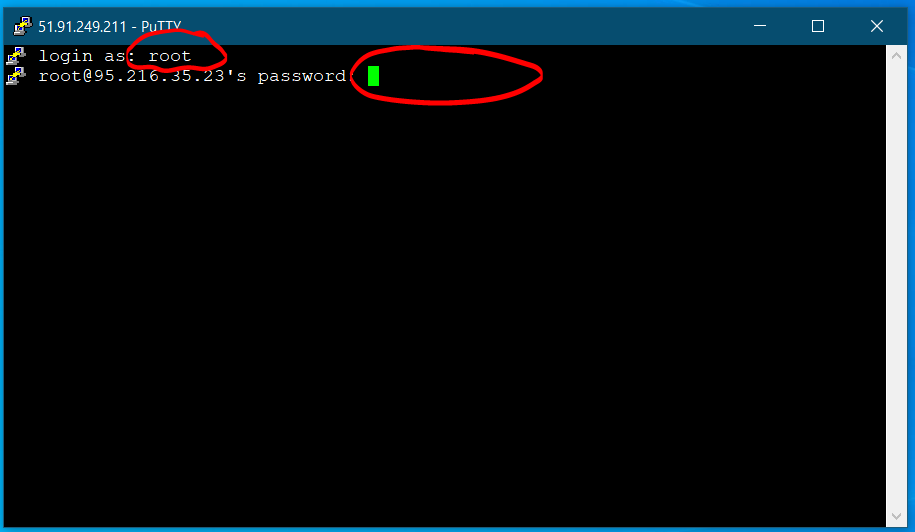
Note that password won’t be displayed, therefore you don’t have to right click again and again, just click once.
Checking port accessibilty
Nowadays most of the cloud service providers sell cloud/VPS with port 25 blocked. Unless port 25 is open emailing wouldn’t be possible from your server. Therefore, it’s a good idea to check if outgoing traffic is permitted on port 25.
Install telnet with following command
yum install telnet -y
telnet smtp.gmail.com 25
The output will be something like this

If you are not getting above result, this means port 25 is blocked for outgoing traffic or, in other words, your hosting provider has blocked port 25. You may want to request them to open port 25.
To exit the above command windows type
quit
followed by enter.
VPS Setup
First of all you need to install CentOS 7/8 on VPS or cloud, which I already did on Contabo. If your hosting is different then make sure to select CentOS 7/8, when placing order.
Let’s update the CentOS
yum update -y
After the update finishes off, set up the hostname as follows
hostnamectl set-hostname mail.yourdomain.com
Don’t forget to replace yourdomain.com with your domain name. After that check, whether hostname is updated or not.
hostname
You will see the output of hostname the following

Domain Setup
Now we will set up the domain. Login to your domain registrar and create A record. Also, make sure you have MX record for your domain. If not then create one.
| Type | Name | Value |
| A | Your IP ADDRESS | |
| MX | @ | mail.yourdomain.com |
In the MX record set the priority to 10.
Uploading the PowerMTA
Now it’s time to upload the rpm package and license to your cloud/VPS. For this purpose, you will need an FTP client like FileZilla or WinSCP.
After the upload, follow the next section for installation.
Installation and Configuration of PowerMTA
Now we have the rpm package on the server. Let’s check the content of current directory to make sure uploaded file exist in it.
ls -l
Now, after verification, it’s time to install PowerMTA.
rpm -ivh PowerMTA.rpm
Don’t forget to replace PowerMTA.rpm with your rpm package name.
Next step is to copy the license file to the /etc/pmta directory.
After this step it’s time to configure pmta so download the config file here.
Next, we are going to make changes in the configuration file on the PC itself. Open it in notepad or notepad++.
Replace the IP address and domain name.
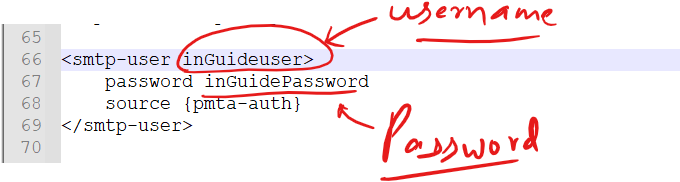
Also, update the SMTP details to make them unique.
Now, before sending out first email, you need to create following DNS records.
- SPF record :
v=spf1 a mx a:yourdomain.com ip4:44.91.76.19 ~all
- DMARC record: For _dmarc.yourdomain.com
v=DMARC1; p=none
- rDNS record: To create rDNS record login to hosting and look for your server IP.
- DKIM record: Creating DKIM records is a little complicated. It’s been discussed in a separate article.
Testing of SMTP
Now after hard work, it’s time to test the server. Go to https://smtper.net and fill in the details as follows. Also, check out 10 tools to check the efficacy of your SMTP server.
| SMTP Host | mail.yourdomain.com |
| SMTP port | 2525 |
| Use authetication | Yes |
| Login | adminuser |
| Password | adminPassWord |
| Email From | [email protected] |
| Email to | [email protected] |
Let’s open Gmail to check whether an email has been delivered or not.
Voila! We successfully installed and configured PowerMTA.
Let me know in comment if you have any question. I will be happy to answer.


Thank you so much i was looking for this article
You are welcome.
Hello thanks sir..
Must I install any control panel on my server before installing PMTA?
No, it’s not necessary.
he bro can u assist me to add dkim record…I previously added dkim record properly..but now it’s not working
https://inguide.in/generate-and-validate-dkim-online-super-easy-way/
Hi Bro,
I am getting below error any suggestions ?
SMTP send error
Mailbox unavailable. The server response was: 5.7.1 relaying denied: in “RCPT TO:”
Check your credentials and do not spoof/masquerade.
Hi everything went perfect
I just wanted to know to to do ip rotation and how many ips acn i add and how many domains can i use on 1 pmta server
Hello,
Am happy with your tutoral but i want to know how to get the powerMTA software for installation
you can buy it from sparkpost.com
dkim does not pass for subdomain, is there a work around?
You are doing it wrong. try again.
how can i share what i did with you please?
i keep getting dkim invalid on mailtester. i created record for it on dns and also added a new part for subdomain in pmta
domain-key key1,*,/etc/pmta/key1.example.com.pem
domain-key key1,*,/etc/pmta/key1.sub.example.com.pem
created record key1._domainkey.sub.
Value v=DKIM1\; k=rsa\; p=MIIBIjA
Edit
v=DKIM1\; k=rsa\; p=MIIBIjAand get rid of “\”
to get this
v=DKIM1; k=rsa; p=MIIBIjA..This man lectures are the reason I know some certain things that are very useful in email marketing today and I wish him more knowledge and wisdom.
Trying to install PowerMTA and running into this error. I have searched Google for hours trying to find a solution but have come up empty handed. Do you know how to fix this?
error opening /var/run/pmta.pid: Error opening /var/run/pmta.pid: file not found, status = ENOENT
Hello Bro
can you please explain about how to install postfix in losthost and also i need to know how to access that postfix by web console. by installation with php and sql server please help me
Hi,
Thank you for the article. I have installed powerMTA using this article, but I would like to use 587 port instead of 25. Can you please guide how to achieve that?
mv: cannot move ‘oempro432’ to ‘/var/www/html/oem’: No such file or directory
chmod: cannot access ‘/var/www/html/oem/*’: No such file or directory
error reading information on service httpd: No such file or directory
error reading information on service mysqld: No such file or directory
install.sh: line 66: /etc/init.d/iptables: No such file or directory
error reading information on service iptables: No such file or directory
install.sh: line 68: /etc/init.d/httpd: No such file or directory
install.sh: line 69: /etc/init.d/mysqld: No such file or directory
install.sh: line 77: /etc/init.d/crond: No such file or directory
install.sh: line 78: /etc/init.d/mysqld: No such file or directory
Redirecting to /bin/systemctl restart pmtahttp.service
Failed to restart pmtahttp.service: Unit pmtahttp.service not found.
What is this install.sh file?
Not able to open port 25.
please help me with that ??
Contact Hosting Provider
does the pmta as work on ubuntu 20.
Yes
Starting pmta (via systemctl): Job for pmta.service failed because the control process exited with error code. See “systemctl status pmta.service” and “journal ctl -xe” for details.
[FAILED]
mine kept failing
share output of
systemctl status pmta.servicehow can we do that
Do what?
Hello, Nice video tutortial, Howevr you didn’t cover the IP rotation part.
or do you have a different video for that?
can you please help me about thq
can you please help me about that error
PowerMTA5.rpm is for architecture amd64 ; the package cannot be built on this system
im trying to install it on oracle instance with
Canonical-Ubuntu-20.04-aarch64-2022.08.15
can you please suggest any version of powermta working great with that version of ubunto or any help please
RPM package can be installed on RedHat based distribution. Try installing it on
1. CentOS
2. AlmaLinux
3. RockyLinux
Please how do i get the PowerMTA.rpm
I am having issues with the dns configuration.
Hi
can you please help me about that TLS configuration in PowerMTA™ 4.0r10
Hi do these things still work?